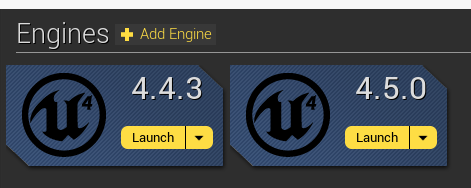
When I updated my project from to Unreal Engine 4.5, my Unreal Motion Graphics menu still looked alright, but the buttons no longer fired. If you followed my earlier tutorial (or set up a menu on your own in 4.4), then there is an easy fix to get your menu up and running again. This is a short tutorial on how to update your Unreal Engine 4.4 UMG Menu to 4.5.
Sunday, October 19, 2014
How to Update your Unreal Engine 4.4 UMG Menu to Work in 4.5
When I updated my project from to Unreal Engine 4.5, my Unreal Motion Graphics menu still looked alright, but the buttons no longer fired. If you followed my earlier tutorial (or set up a menu on your own in 4.4), then there is an easy fix to get your menu up and running again. This is a short tutorial on how to update your Unreal Engine 4.4 UMG Menu to 4.5.
Try Rebuilding From Source Manually Error: How to Update Your Blueprints-Only Unreal Engine Project From 4.4 to 4.5
This is a short tutorial on how to update your Unreal Engine 4.4 Blueprints-only project to the current 4.5 version of the engine if it fails to update automatically and gives you a "try rebuilding from source manually" error.
How to Create a Menu in Unreal Engine 4.5 using Unreal Motion Graphics (UMG) - Part 1
Unreal has changed up how the Unreal Motion Graphics tool works between release 4.4, when it was experimental, and 4.5 for the official release. If you updated your old project to 4.5 and you had a menu in place from 4.4, you probably found that certain menu items may have been removed and that your key bindings no longer work.
This updated tutorial set will cover how to create a UMG menu so that works in Unreal Engine 4.5.
(Note: If your menu still looks fine, but does not function correctly, skip over to my post on how to update your UMG 4.4 Menu to 4.5)
Saturday, September 6, 2014
How to Change Parameters in Dynamic Materials at Runtime in UE4 using Substance Designer and Blueprints
Substance Designer is an all-around great tool for texturing 3D models, but one of the features that I'm most excited about in my game development is Substance integration in UE4. Allegorithmic had already integrated with Unreal back in the UDK and UE3 days (I guess technically you can still use UDK and UE3), but they've only recently released a plugin for UE4 that doesn't require recompiling the engine for it to work.
The Substance integration is huge because not only does it mean that you can save time importing textures and creating materials by simply dragging and dropping an SBSAR file into your game, it also means that you can dynamically change any values that you've "exposed" in your Substance graph at runtime.
This is a tutorial on how to manipulate your exposed Substance variables at runtime in your game using a key press.
Tuesday, September 2, 2014
How to Change Gravity Settings in Unreal Engine 4
Sunday, August 24, 2014
[Unreal Engine version 4.4 Only] Creating a Pause Menu for UE4 with Unreal Motion Graphics (UMG)
This is a short tutorial on adding a pause menu to your game. The steps here are very similar to Part 2 of my UMG menu tutorial, but enough of the logic is changed that I decided it warranted another tutorial.
Saturday, August 23, 2014
[Unreal Engine version 4.4 ONLY] How to Create a Menu in Unreal Engine 4 using Unreal Motion Graphics (UMG) - Part 2
Note: Since the update to Unreal Engine 4.5 this tutorial is out of date. If you are using Unreal engine 4.4, then this is the correct tutorial for you. Otherwise, please go here to my updated tutorial.
This is the second and final part of my tutorial on how to create a menu in Unreal Engine using UMG. Here we will cover how to hook up blueprint functions to the menu buttons you created in Part 1 to make them work.
Subscribe to:
Posts (Atom)