Thursday, February 5, 2015
Saturday, January 31, 2015
How to Prevent Your Actors From Spawning On Top of Each Other in UE4 Using Sphere Trace for Objects
So in this tutorial we will take a look at how to prevent actors from spawning on top of each other by using a Sphere Trace for Objects. The Trace for Objects set of functions are useful for many applications, but in this instance we will be using it as a work-around for the either defective or misleading "Spawn Even If Colliding" boolean on the SpawnActor function.
Created for UE4 v4.6.1
Thursday, January 29, 2015
How to Use Emissive Materials to Light Up Your Levels in UE4 with Blender and Substance Designer
In Unreal Engine you can use emissive materials to help give your meshes some character and light up your game. Basically, if you want your material to give off some light without having to add a lamp to your scene you're going to be working with emissives. This is going to be a short and relatively simple tutorial on how to create meshes in Blender and texture them in Substance Designer so that they can light up in Unreal Engine 4 using emissive materials.
Friday, January 23, 2015
How to Create a Menu in Unreal Engine 4.6 using Unreal Motion Graphics (UMG) - Part 2
Alright guys. After a very long hiatus, IDKUDK has returned with our UMG tutorial series UE4.6 has been released (and 4.7 is pending), so here's the newest iteration of how to build a basic menu using UMG. Epic has added new features to UMG, including the ability to use 3D menus, but that will have to wait for a later tutorial.
This tutorial picks up where we left off in the last UMG tutorial.
Sunday, October 19, 2014
How to Update your Unreal Engine 4.4 UMG Menu to Work in 4.5
When I updated my project from to Unreal Engine 4.5, my Unreal Motion Graphics menu still looked alright, but the buttons no longer fired. If you followed my earlier tutorial (or set up a menu on your own in 4.4), then there is an easy fix to get your menu up and running again. This is a short tutorial on how to update your Unreal Engine 4.4 UMG Menu to 4.5.
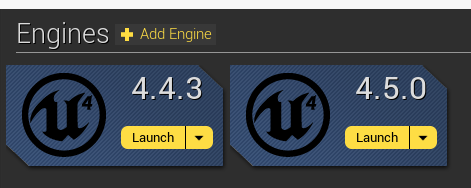
Try Rebuilding From Source Manually Error: How to Update Your Blueprints-Only Unreal Engine Project From 4.4 to 4.5
This is a short tutorial on how to update your Unreal Engine 4.4 Blueprints-only project to the current 4.5 version of the engine if it fails to update automatically and gives you a "try rebuilding from source manually" error.
How to Create a Menu in Unreal Engine 4.5 using Unreal Motion Graphics (UMG) - Part 1
Unreal has changed up how the Unreal Motion Graphics tool works between release 4.4, when it was experimental, and 4.5 for the official release. If you updated your old project to 4.5 and you had a menu in place from 4.4, you probably found that certain menu items may have been removed and that your key bindings no longer work.
This updated tutorial set will cover how to create a UMG menu so that works in Unreal Engine 4.5.
(Note: If your menu still looks fine, but does not function correctly, skip over to my post on how to update your UMG 4.4 Menu to 4.5)
Subscribe to:
Posts (Atom)